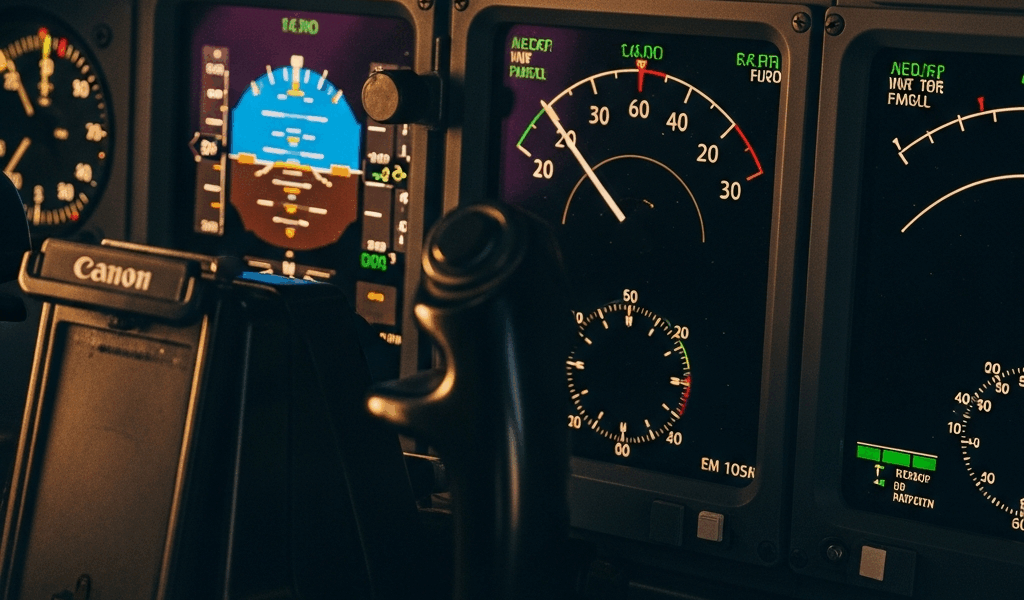
The Most Common Reasons Autopilot Drops Out Below 1000 Feet
Low-altitude autopilot disconnects have gotten complicated with all the misinformation flying around. Ask three pilots what caused their last unexpected handoff below 1000 feet and you’ll get three different answers — two of them wrong. Your hand grabs the yoke. Heart rate spikes. Suddenly you’re hand-flying an approach you assumed the box would finish for you.
Here’s the thing most pilots don’t realize: the majority of these disconnects aren’t malfunctions. The airplane did exactly what it was programmed to do. Understanding that changes how you respond — completely.
The five biggest culprits below 1000 feet are excessive bank angle, pitch exceedance, localizer or glideslope signal loss, radio altimeter dropout, and airspeed envelope violations. Each one triggers differently. Each one demands a specific recovery mindset.
Excessive Bank Angle Exceedance
Most general aviation autopilots — Garmin GFC 700 series, Avidyne DFC90, Bendix/King systems — disconnect if bank angle exceeds roughly 25 to 28 degrees for more than a few seconds. Near the ground, that threshold arrives faster than you’d think.
A localizer approach in moderate crosswind, poor lateral mode tracking, or a blown intercept can put you at 300 feet AGL with 30 degrees of bank before the annunciator even flashes. The system won’t fight it. It just quits. It’s brutal, but it’s honest.
Pitch Exceedance and Descent Rate Runaway
Vertical mode failures are sneakier. An altitude hold mode struggling to maintain target altitude bleeds down gradually, then aggressively. Some Garmin GFC systems trigger disconnect when pitch exceeds ±10 degrees continuously. Others use descent rate as the threshold — exceed 1200 fpm descending and you’re hand-flying within seconds of decision altitude.
I learned this the hard way in a Cirrus SR22 with an earlier GFC 500 box. Misconfigured descent planning, a stable-approach assumption I hadn’t actually verified, and a 900 fpm descent rate at 600 feet AGL. Disconnect. No warning chirp. Just back in the loop with roughly 90 seconds to landing. Don’t make my mistake.
Localizer and Glideslope Signal Loss
ILS approaches fail silently more often than pilots expect. You’re coupled to localizer and glideslope. Signal degrades. The autopilot hunts for it, overshoots, and drops out when deviation exceeds limits — usually 1 dot on older systems, tighter on glass cockpits.
Weather, transmitter maintenance windows, or the approach geometry itself can degrade the signal. At 300 feet AGL in actual IMC, there is zero margin for surprise. None.
Radio Altimeter Input Conflicts
But what is radio altitude dependency in autopilot logic? In essence, it’s the system using RA data to enforce hard descent floors below decision altitude. But it’s much more than that — it’s the autopilot’s only independent verification that the geometry makes sense before continuing descent.
Terrain masking, rain ingestion, antenna ice, or a degraded transceiver can force the radio altimeter to read false or drop offline entirely. When that input vanishes near minimums, the autopilot can’t verify safe descent geometry and disconnects rather than guess. A reasonable choice, honestly.
Airspeed Outside the Envelope
Autopilots have speed limits — hard ones. Below 1000 feet on approach, a slip to 35 knots above target speed in a light airplane, or 10 knots slow on a heavy jet, can trigger disconnect. It’s usually a configuration problem: late flap extension, late gear down, or approach planning that ignored a 20-knot headwind component. The autopilot won’t overcontrol to chase speed. It just hands back the airplane.
How Aircraft Design Intentionally Forces the Disconnect
Probably should have opened with this section, honestly. Autopilot disconnects at low altitude are not random failures — they’re regulatory safety features baked into every type-certified autopilot on the market. So, without further ado, let’s dive in.
FAR Part 25.1329 governs autopilot certification for transport-category aircraft. Similar standards trickle down to general aviation. The core principle: disconnect when conditions exceed safe operating parameters. The FAA mandates it. Your airframe manufacturer designed it in. It’s supposed to happen.
The regulation exists because an autopilot fighting the pilot near the ground kills people. A system that masks its own failure — that keeps correcting bad inputs while degrading — poses a greater risk than returning control to the human. Simple math.
Older autopilots like the Bendix/King KAP 140 or early Garmin boxes have relatively forgiving thresholds. Bank angle, pitch, altitude deviation — there’s margin built in. You get warning, then disconnect. I’m apparently wired for the older logic and the KAP 140 works for me while some newer glass implementations never felt intuitive to me until I understood the underlying certification standards.
Newer systems — Garmin’s GFC 700X and later, Avidyne’s DFC90 — are far more sophisticated. Synthetic vision, terrain awareness data, multi-layer mode logic. But they still disconnect. The standards haven’t loosened; the systems are just more accurate about knowing when to stay engaged longer.
Fly-by-wire aircraft like the Airbus A320 handle this entirely differently. The autopilot doesn’t hard-disconnect — it hands control to a stability protection layer called Normal Law. The airplane enforces bank, pitch, and speed limits at the flight control level itself. The pilot doesn’t feel a sudden handoff. The protection layer was always there underneath, invisible.
That difference matters. Legacy autopilot disconnect is a hard transition — jarring, abrupt, immediate. Modern fly-by-wire is smooth degradation. For most general aviation and regional turboprop operators, you’re still dealing with the hard version. Which is exactly why the next section matters.
Immediate Pilot Response Steps When Autopilot Drops Out
Your autopilot disconnects at 400 feet AGL. You have seconds. Here’s the flow.
- Aviate. Hands and feet move first. Wings level, arrest any pitch deviation, trim for stable flight. Do not touch the autopilot button again. Do not reach for the mode knob. Fly the airplane — period.
- Identify. Scan the annunciator panel. What mode was active? TRACK? ALT HOLD? Approach mode? Check the ALT bug, the heading, the glideslope deviation. In glass cockpits the failure mode is annotated right there — AP DISC, MODE REVERSION, ALT HOLD FAIL. Read it.
- Communicate. Two-pilot crews: pilot flying calls “Autopilot disconnect.” Pilot not flying reads back the mode and annunciator message. Four seconds. Prevents dual fixation on the same problem.
- Stabilize. Get back on localizer and glideslope manually. Target 300 to 500 fpm descent at 600 feet AGL. Call “Stabilized” when you are — or call “Go around” if you’re not within 500 feet. That was 500 feet. Not 300. Not 200.
- Troubleshoot only after stability. Now — and only now — consider whether re-engagement makes sense. Most of the time it doesn’t. Most low-altitude disconnects mean you’re hand-flying to touchdown. That’s normal. That’s fine.
The cardinal rule: do not re-engage autopilot inside the final 500 feet unless you have an exceptional reason you can articulate out loud. You’ve already proven the system hit a limit. Your hands and feet are the backup system now. Use them.
Warning Signs That a Disconnect Is About to Happen
Disconnects rarely surprise a pilot who’s scanning properly through the final thousand feet. The airplane usually telegraphs it.
Mode reversions are the first clue. You’re in Approach mode — coupled to localizer and glideslope — and the annunciator suddenly kicks back to ROLL or PITCH HOLD. That’s the autopilot telling you it lost the signal. A few seconds later, full disconnect.
Altitude mode conflicts show up as the airplane chasing altitude — leveling when you wanted descent, or descending when you were stable. The ALT HOLD light blinks or cycles. The autopilot is struggling to reconcile actual conditions with programmed targets and losing the argument.
Trim runaway is rare. When it happens, it’s terrifying. The trim indicator moves on its own, or you feel sustained elevator pressure building. The autopilot is trying to correct a pitch problem and running out of authority. Disconnect manually before it escalates. Do not wait.
In glass cockpits, EICAS or the annunciator panel will display AP LOW ALTI, AP MODE REVERSION, or AP DISC ADVISORY seconds before the actual disconnect. These aren’t failures — they’re status messages. The autopilot is telling you it’s at its limit. Read those messages.
Radio altitude annunciators showing 0 feet, or inconsistent readings when you’re actually at 400 feet AGL — that’s a classic red flag. The system can’t trust its altitude reference anymore. Disconnect is coming.
First, you should disconnect the autopilot yourself if you see any of these signs — at least if you want to control the transition rather than react to it. It’s not failure. It’s confidence.
When a Recurring Disconnect Means a Maintenance Issue
One disconnect on a particular approach in certain weather? Environmental. Disconnects every single time you couple on localizer? That’s a maintenance write-up. Same day. No exceptions.
The pattern matters more than the event. Is it happening at a specific altitude every time? Always in roll mode? Only during ILS approaches? Always after five minutes of coupling? Patterns point to causes.
The most common culprits in recurring disconnects: degraded radio altimeter, failing autopilot servo in roll or pitch axis, loose or corroded avionics connectors, and occasionally a software anomaly in the autopilot control unit itself.
Radio altimeter problems are chronic in certain airframes — especially anything operated near coastal environments. Salt spray corrosion on the antenna connector costs about $40 to fix and accounts for a surprising number of chronic approach-phase disconnects. Moisture in the transceiver, fatigue cracks in the antenna, degraded coax — all of it degrades the RA signal. The symptom is disconnects below 500 feet, worse in actual weather. Your write-up should read: “Autopilot disconnects during approach phase below 500 feet AGL on ILS. RA indicates erratic or fails to update.” Specific. Actionable.
Aging servos in roll or pitch lose the ability to hold coupling. You’ll notice sluggish tracking first — overshoots on intercept, slow drift off localizer the autopilot can’t correct fast enough before hitting its own bank angle limit. Then disconnect. The servo is the culprit. A healthy servo on a Garmin GFC system runs roughly $800 to $1,200 exchange — not cheap, but cheaper than the alternative.
Write discrepancies clearly. “Autopilot unstable” means nothing to maintenance. “Autopilot disconnects during ILS approach at approximately 400 feet AGL, approach mode active, after 3 minutes of coupling, localizer deviation within 1 dot prior to disconnect, RA appeared normal” — that means something. That write-up saves hours of bench time.
Maintenance will pull the radio altimeter first, then the autopilot control unit for software check, then the servos. If the same disconnect repeats after the initial repair, escalate. Intermittent connector failures don’t always show on the bench — they only fail under flight vibration. Request a functional flight test after any autopilot-related repair. Put that request in writing.
Autopilot disconnects at low altitude are manageable. They’re designed to happen — built in by engineers who understood that a system knowing its limits is safer than one that doesn’t. Understand why yours disconnected, respond systematically, and log it accurately. That box isn’t failing you. It’s telling you exactly where its limits are before those limits become yours.


Stay in the loop
Get the latest aviate ai updates delivered to your inbox.