
Mission Computers for Fleet Operations
I spent the better part of a decade working adjacent to spacecraft systems, and I still catch myself second-guessing what some of these components actually do versus what the spec sheets claim. So let me break down what a mission computer really is, why it matters, and where this technology is headed — based on what I’ve actually seen and learned the hard way.
What a Mission Computer Actually Does
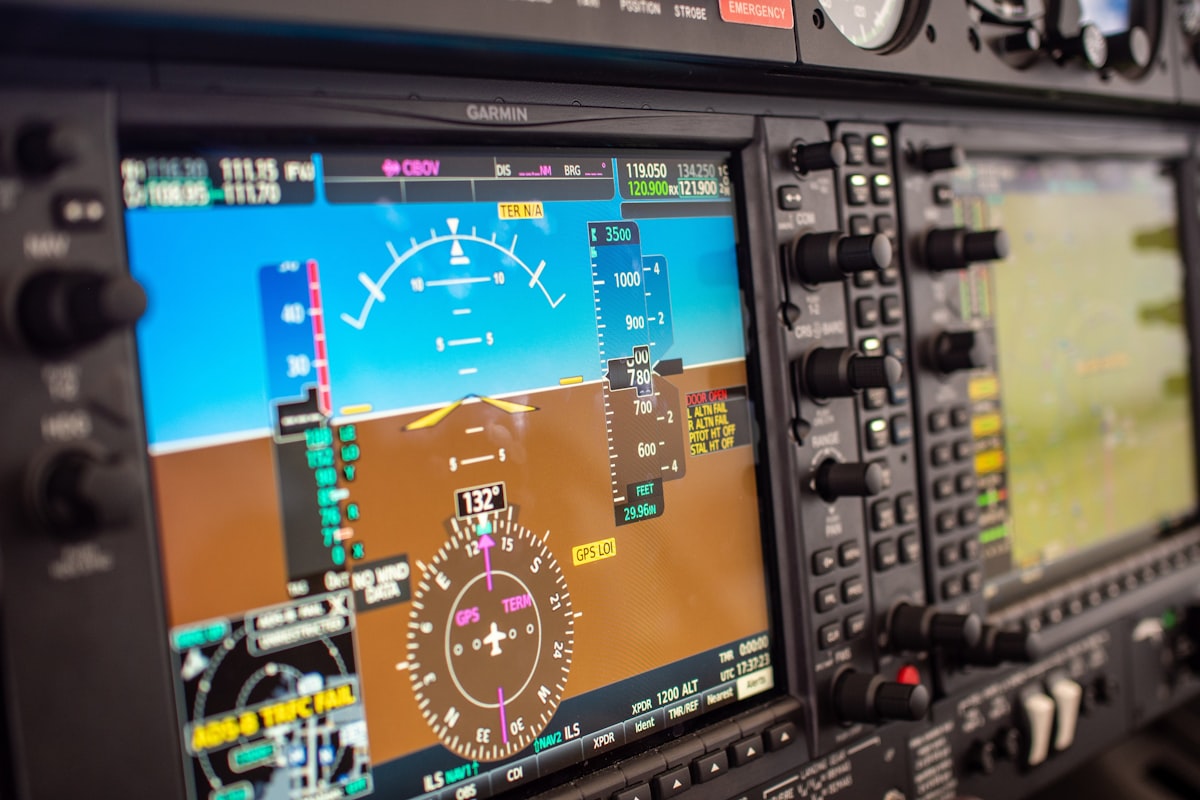
At its core, a mission computer manages and processes data onboard a spacecraft. Think of it as the brain — it coordinates navigation, communications, and payload operations. Without it, you’ve basically got a very expensive piece of metal floating in space doing nothing useful.
I remember the first time I saw a mission computer diagram during a briefing. I was expecting something flashy. Nope. It’s elegantly boring, and that’s by design. Reliability beats excitement every single time when you’re operating in a vacuum.
Subsystem Control
Subsystems cover everything from propulsion to life support. Each one needs precise management for the mission to succeed. The mission computer ties them all together so they work in sync. For instance, the navigation system feeds sensor data to the computer, which processes it and spits out course corrections. Speed adjustments, trajectory tweaks — all happening in real-time. It’s honestly impressive when you sit down and think about the timing involved.
Data Management
Here’s something people don’t think about enough: spacecraft collect enormous volumes of data from their instruments. The mission computer has to store it, process it, and get it back to Earth. And bandwidth in space? Extremely limited. So the computer runs advanced compression algorithms and decides what gets sent first. The most time-sensitive data jumps the queue. It’s like triage, but for information.
Navigation gets the glory, but data handling keeps the whole operation meaningful.
Hardware and Software Components
Mission computers are a marriage of hardware and software, and both sides carry serious weight. Understanding what goes into them gives you a real sense of how much engineering effort is behind each mission.
Hardware
- Processor: Handles all the computations and task management. The brain’s brain, if you will.
- Memory: Stores the data and instructions the system needs to operate.
- Input/Output Interfaces: These connect the computer to sensors and other subsystems throughout the spacecraft.
- Power Supply: Keeps everything running with consistent power delivery.
- Redundant Systems: Backup systems that kick in if the primary fails. Because in space, calling tech support isn’t really an option.
All of this hardware has to survive extreme temperatures and radiation levels that would fry your laptop in seconds. Components go through brutal testing before they ever get near a launch pad. I’ve watched engineers put boards through thermal cycling that would make your eyes water. There’s a reason space-rated hardware costs what it does.
Software
Software tells the hardware what to do. It includes the operating system, application layers, and real-time control systems. And here’s the thing — it has to be rock-solid. A software bug in your phone means a restart. A software bug on a spacecraft can mean losing the entire mission. There are multiple layers handling everything from basic housekeeping to complex data analysis.
Real-Time Operating System (RTOS)
RTOS is a special breed of operating system designed for deterministic task execution. What does that mean in plain English? It guarantees that tasks complete on time, every time. No “spinning wheel” moments allowed. RTOS manages resources by prioritizing what’s most important during peak demand. I’ve always found RTOS fascinating because it’s the one place where “good enough” timing literally is not good enough. Milliseconds matter.
The Real Challenges of Designing Mission Computers
Building these systems isn’t straightforward. Every design choice involves tradeoffs, and the stakes are about as high as they get.
Environmental Concerns
Space is brutal on electronics. You’ve got extreme temperature swings, constant radiation bombardment, and vacuum conditions. Radiation can cause bit flips — where data stored in memory randomly changes. One flipped bit in the wrong place and suddenly your navigation is off. Engineers use radiation-hardened materials and shielding to combat this, but it’s an ongoing battle. You can mitigate it, but you can never fully eliminate the risk.
Reliability and Redundancy
In space missions, failure is not really something you can recover from casually. So redundancy gets baked into everything. If one component goes down, a backup system takes over automatically. Engineers run exhaustive testing and validation to make sure the whole setup holds together. I’ve heard stories about test campaigns lasting longer than the actual missions they were preparing for.
Energy Efficiency
Power is limited in space. You can’t just plug into a wall outlet up there. So mission computers have to sip energy, not gulp it. Both hardware and software get optimized for low power consumption. Better energy efficiency means longer mission life and lower costs. It’s one of those constraints that actually drives some really clever engineering solutions.
Data Integrity
Keeping data accurate is a constant concern. Errors in data lead to bad decisions, and bad decisions lead to mission failure. Error detection and correction mechanisms — parity checks, checksums, error-correcting codes — are standard practice. It’s belt-and-suspenders engineering, and frankly, I wouldn’t have it any other way.
Recent Advances in Mission Computer Tech
Technology doesn’t sit still, and mission computers have been evolving right alongside everything else. Some of the recent progress has been genuinely exciting.
Miniaturization
Semiconductor technology keeps shrinking, which means processors get smaller and more powerful. That translates directly into more compact mission computers. Less weight, less space needed — both of which are precious on a spacecraft. And the smaller form factor doesn’t mean less capability. If anything, modern miniaturized systems can do more than their bulkier predecessors.
Increased Processing Power
Modern processors pack a serious punch. More processing power means you can run more complex computations and handle larger data sets. Scientific instruments can perform more detailed analysis onboard instead of waiting to beam everything back to Earth. Real-time decision-making and autonomous operations both benefit enormously from this trend.
Artificial Intelligence
AI is starting to show up in space missions, and honestly, it makes a lot of sense. Machine learning algorithms can spot patterns in data that traditional methods would miss entirely. AI also improves spacecraft autonomy — letting them navigate and make certain decisions without waiting for instructions from ground control. When your signal takes 20 minutes to reach Earth, autonomy isn’t a luxury. It’s a necessity.
Networked Systems
Modern mission computers often operate in a networked setup where multiple computers share data and coordinate tasks. This distributed approach improves fault tolerance — if one node goes down, the network keeps functioning. It also makes the system more flexible and scalable. I think this is where we’ll see some of the biggest gains in the next decade or so.
Where Mission Computers Get Used
Mission computers show up across a range of space applications, each with its own set of demands.
Satellites
Satellites depend on mission computers for daily operations — communication, navigation, data collection. Earth observation satellites, for example, gather massive amounts of data about our planet. The mission computer processes all of that and routes it to ground stations. Without a well-functioning mission computer, a satellite is basically a very expensive piece of debris in orbit.
Deep Space Probes
Deep space probes venture into distant parts of our solar system where communication delays can stretch to hours. Mission computers enable the autonomous operations these probes need to function. They navigate, make decisions, and respond to unexpected situations without waiting for human input. That level of independence is remarkable when you think about it.
Manned Spacecraft
When there are humans onboard, the stakes go up dramatically. Mission computers manage life support — oxygen levels, temperature control, waste management — plus navigation and communication. These systems are the safety net between the crew and the void outside. No pressure, right?
Rovers
Mars rovers are great examples of mission computers working under harsh conditions. They control navigation across rocky terrain and manage scientific instruments. The autonomy that mission computers provide lets rovers explore and run experiments independently. When you see a rover drilling into Martian rock, there’s a mission computer behind every movement, every measurement.
Where This Is All Going
The field keeps moving forward, and some of the emerging trends could change things significantly.
Quantum Computing
Quantum computing could be a game-changer for space missions. The processing power is on a completely different level compared to classical computers. That means more complex simulations, faster data analysis, and potentially new discoveries. We’re not there yet — or at least, not at the point where quantum computers are reliable enough for space deployment — but the potential is enormous.
Interstellar Missions
If we ever send spacecraft beyond our solar system, mission computers will need to be extremely autonomous and resilient. We’re talking about missions that last decades or longer, with no realistic way to send updates. Advances in AI and machine learning will be key to making that work. It’s the kind of challenge that keeps engineers up at night — in a good way.
Better Ground Integration
Tighter integration between space-based mission computers and ground-based supercomputers could unlock new capabilities. Collaborative processing means more detailed analysis and faster decision-making. It also opens the door to entirely new kinds of missions where space and ground assets work as one coordinated system.
3D Printing and Self-Repair
Here’s one that sounds like science fiction but is actually being researched seriously: manufacturing spare parts in space using 3D printing. Mission computers could eventually incorporate self-repairing mechanisms too. Both of these advances would reduce dependence on Earth-based resupply and extend how long missions can operate independently.
Mission computers don’t get the headlines. They’re not the rocket engines or the landing footage that makes the news. But they’re behind every successful maneuver, every byte of data returned, every safe reentry. The people who build these systems know that, and there’s a quiet pride in making something work perfectly when nobody’s watching. As the technology keeps advancing, mission computers will only become more capable — and space exploration will go further because of it.



Stay in the loop
Get the latest aviate ai updates delivered to your inbox.