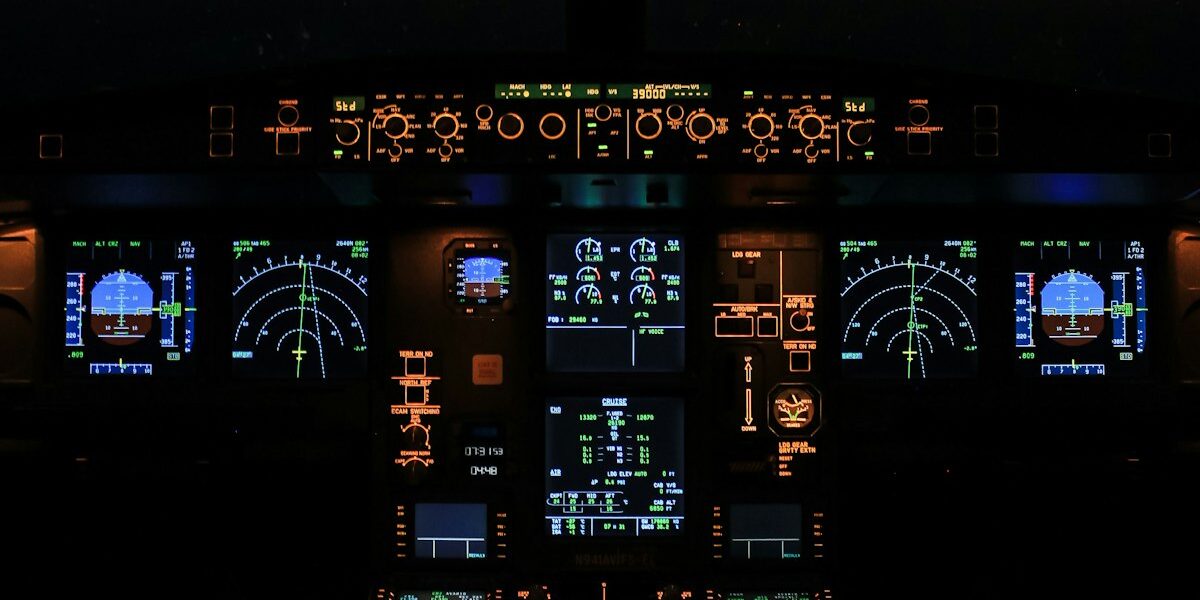
I talked to a friend who manages crew scheduling for a regional airline, and she told me her biggest fear isn’t a weather delay — it’s getting a call at 2 AM because the system double-booked a pilot who’s maxed out on flight hours. That’s the kind of thing a good Crew Management System (CMS) is supposed to prevent.
The Basics of Crew Management Systems
At its heart, a CMS pulls together all the moving parts of crew administration into one place. Scheduling, compliance tracking, communication, payroll, performance reviews — instead of juggling five different spreadsheets and three email chains, everything lives in a single platform. It cuts down on admin work and, more importantly, reduces the chances of something slipping through the cracks.
Scheduling and Rostering
Scheduling crew is one of those tasks that looks simple until you actually try to do it. Varying shift patterns, qualifications, rest requirements, personal availability — it adds up fast. A CMS handles automated rostering, taking all those factors into account so you don’t end up with conflicts or gaps. And when someone calls in sick at the last minute? The system can find a qualified replacement and notify them right away.
Compliance Tracking
In industries like aviation and shipping, compliance isn’t optional. A CMS tracks certifications, licenses, and mandatory training. It sends alerts before things expire, so nobody gets caught flying or sailing with lapsed credentials. That’s not just about avoiding fines — it’s about safety.
Communication
Good communication in a crew environment is everything. A CMS typically includes messaging tools, announcement boards, and push notifications. Everyone gets the same information at the same time. No more “I didn’t get that email” excuses. It keeps teams on the same page and cuts down on misunderstandings.
Payroll Management
Payroll for a large crew? That’s a headache waiting to happen if you’re doing it manually. A CMS automates the calculations — hours worked, overtime, bonuses, deductions — and makes sure people get paid correctly and on time. Nothing tanks morale faster than a messed-up paycheck. Plus, it keeps clean financial records for auditing.
Performance Evaluation
Regular performance reviews help managers spot strengths and areas that need work. A CMS gives you tools to track metrics, set goals, and provide feedback. It’s a structured way to help crew members grow professionally, which benefits everyone in the long run.
Benefits of a Crew Management System
A CMS saves time, reduces errors, and makes crew members happier. Let me break that down.
Increased Efficiency
Automating routine tasks means managers spend less time on paperwork and more time on things that actually require human judgment. Crew members deal with fewer scheduling hassles. Operations run smoother overall.
Error Reduction
Manual data entry is where mistakes happen. Wrong hours logged, expired certifications missed, double-booked shifts. A CMS handles the math and the tracking, which means fewer errors and fewer expensive problems downstream.
Improved Communication
When updates go through one centralized system, everyone stays informed. Schedule changes, policy updates, emergency notices — they all go out through the same channel. Less confusion, better teamwork.
Enhanced Crew Satisfaction
People want to know their schedule is fair, their pay is accurate, and their concerns are heard. A CMS makes processes transparent, which builds trust. And trust leads to better retention rates — something every industry struggles with.
Industry Applications
CMS solutions show up across several industries, each with its own particular headaches.
Aviation
Aviation crew scheduling is notoriously complex. Flight hour limits, mandatory rest periods, type ratings, recurrent training — all regulated and all needing careful tracking. A CMS optimizes rosters while keeping everything within regulatory bounds.
Maritime
Long voyages, international regulations, crew rotations that span months — maritime crew management is its own world. A CMS keeps track of certifications, manages the rotation schedule, and bridges communication between onshore offices and crews at sea.
Hospitality
Hotels and resorts need the right number of staff at the right times. Understaffed during a rush? Guest experience suffers. Overstaffed during a slow period? You’re burning money. A CMS helps match staffing levels to demand, manages payroll, and handles performance tracking.
Key Features of an Effective Crew Management System
Not all CMS platforms are created equal. Here’s what to look for.
Automated Scheduling
The system should assign shifts based on availability, qualifications, and rules (like maximum hours). Good automated scheduling reduces conflicts and optimizes how resources are used.
Compliance Management
Tracking certifications and sending automated renewal reminders is table stakes. You need this to avoid compliance gaps.
Communication Tools
Built-in messaging, announcements, and notifications keep crews informed without needing a separate app or email chain.
Payroll Automation
Accurate wage calculations including overtime, bonuses, and deductions. Transparent records that hold up under scrutiny.
Performance Tracking
Goal setting, progress monitoring, and feedback tools. Helps managers evaluate crew members fairly and consistently.
Mobile Accessibility
Crew members are often on the move — literally. Mobile access to schedules, messages, and updates is a must-have, not a nice-to-have.
Implementing a Crew Management System
Rolling out a CMS takes some planning. You can’t just flip a switch and expect everyone to figure it out.
Assessing Needs
Start by figuring out what your organization actually needs. How big is your crew? What regulations apply? How complex are your operations? Answers to these questions guide which system you pick.
Choosing the Right System
Do your research. Compare features, ease of use, scalability, and support options. Pick a system that fits where you are now and where you’re headed.
Training and Onboarding
A system is only as good as the people using it. Invest in proper training for both managers and crew. Offer ongoing support so people aren’t left struggling with the interface three months in.
Continuous Evaluation
After launch, gather feedback and make adjustments. No system is perfect out of the box. Regular updates and improvements keep the CMS effective as your needs evolve.
Choosing the Right Vendor
Your CMS vendor matters as much as the software itself. Here’s what to look at.
Reputation and Experience
Go with a vendor that has a proven track record. Check client testimonials and case studies. Experience in your specific industry is a big plus.
Customizability
Your organization has unique needs. The CMS should be flexible enough to adapt. A one-size-fits-all system rarely fits anyone well.
Support Services
Good support means training, troubleshooting, and regular software updates. You want a vendor that’s responsive when something breaks.
Cost-Effectiveness
Price matters, but don’t just go with the cheapest option. Evaluate what you’re getting for the money. Features, support, and reliability should factor into the decision alongside cost.
Security
You’re dealing with personal and financial data. The vendor needs strong security measures — encryption, access controls, regular audits. No shortcuts here.
The Future of Crew Management Systems
CMS technology keeps evolving. AI and machine learning are starting to show up, and they’re bringing some cool capabilities.
Artificial Intelligence and Machine Learning
AI can predict scheduling conflicts before they happen, suggest optimal rosters, and recommend personalized training paths. Machine learning gets smarter over time as it processes more data from your operations.
Integration with Other Systems
Future CMS platforms will likely plug into other enterprise tools more easily — HR systems, finance software, operational databases. Better integration means better data flow and fewer manual hand-offs.
Enhanced User Experience
Expect cleaner interfaces, better mobile apps, and features that are actually intuitive. The goal is making the system easy enough that people want to use it, not dread it.
Focus on Well-being
Crew well-being is getting more attention, and rightfully so. Future CMS solutions may include fatigue monitoring, health tracking, and mental health resources. A healthy crew is a productive crew — it’s that simple.
CMS technology will keep improving as the demands on crew management grow. The companies that invest in good systems now will be in a much stronger position as operations get more complex.
Recommended Aviation Gear
David Clark H10-13.4 Aviation Headset – $376.95
The industry standard for aviation headsets.
Pilots Handbook of Aeronautical Knowledge – $25.42
Essential FAA handbook for every pilot.
As an Amazon Associate, we earn from qualifying purchases.




Stay in the loop
Get the latest aviate ai updates delivered to your inbox.