“`html
Why Flight Management Systems Fail During Approach
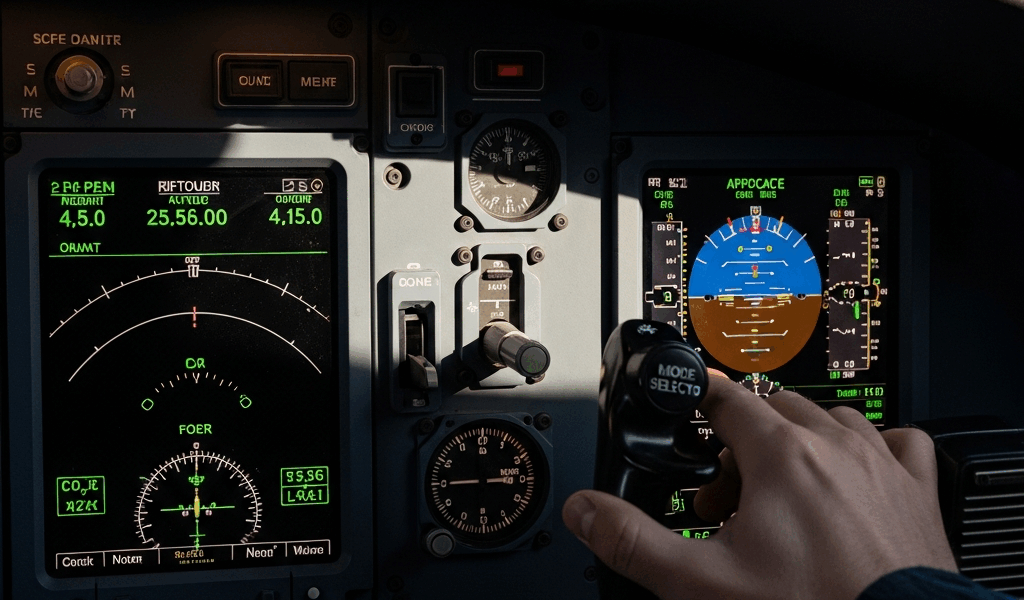
I’ve watched the FMS quit on me at 3,000 feet on approach exactly twice in fifteen years, and both times I wasn’t prepared for how fast everything unravels. The flight management system isn’t your autopilot—that’s the first thing pilots get wrong when diagnosing failures. Your FMS handles navigation guidance, sequencing waypoints, and altitude constraints. When it drops during approach, you lose that guidance architecture entirely. Most pilots search for answers about FMS failures expecting to find something about autopilot disconnects, but the problems are completely different animals.
Here’s what makes approach failures so brutal: cruise is forgiving. You’re stable, constraints are loose, and the system coasts on whatever nav database loaded before departure. Approach? That demands precision. Mode transitions multiply. Data constraints tighten. Sequencing happens faster. One corrupted waypoint or mismatched coordinate that never mattered in cruise becomes catastrophic when you’re descending through 5,000 feet. That’s what makes these failures so sudden.
I’m going to walk you through what actually causes these failures, why they happen when they do, and the recovery procedures I’ve tested in the cockpit—not the simulator. Probably should have opened with prevention, honestly, but the failure patterns tell you the prevention steps anyway.
When FMS Mode Transitions Go Wrong
The cascade starts here. You’re cruising, LNAV is locked, lateral deviation is minimal. Then you hit the transition point for approach. The FMS announces a mode change. This is when things collapse.
False sequencing is the first failure mode — and it’s sneaky because everything looks normal on the display. The FMS sequences from cruise navigation to approach navigation, but the waypoint identifier doesn’t match your flight plan entry. You loaded KSEA approach into the CDU using the ICAO four-letter identifier. The database uses a different designation. The system sees a mismatch and either locks into the wrong waypoint or refuses to sequence at all. You’re staring at a lateral deviation alert showing 2.3 degrees off, and you can’t understand why because the screen says you’re on course.
I made this mistake once. Loaded the approach using “SEA” instead of “KSEA.” The FMS sequenced to a different Seattle intersection entirely — about 8 nautical miles off the correct track. I caught it because the heading was obviously wrong, but at night or in weather, you wouldn’t see it immediately. That’s the danger.
Mode annunciation failures follow sequencing errors. The FMS display shows you’re in LNAV mode when you’ve transitioned to APP mode. The navigation source is correct, but the mode label is frozen on the previous state. You don’t realize you’re not getting approach-specific guidance until you’re 1,500 feet wondering why the system isn’t correcting for wind on final. By then you’re already degraded and running out of time to recover.
Lateral deviation alerts compound everything. The FMS calculates you’re 1.2 nautical miles left of course, but you’re actually on the published track. The database has a corrupt coordinate for an approach waypoint somewhere upstream. The system is comparing your actual position against bad data, and everything downstream fails because of that one bad point in the chain.
Data Entry Errors That Trigger FMS Reversion
Probably should have opened with this section, honestly. Most FMS failures aren’t system malfunctions — they’re garbage-in-garbage-out problems that pilots create during preflight data entry. The machine does exactly what you tell it to do, even when what you tell it is wrong.
Waypoint coordinate mismatches are the worst offenders. You pull up the approach chart and load the initial approach fix coordinates into the CDU. You enter 47.31.25N instead of 47.31.52N. That’s an eight-nautical-mile error — roughly the distance from downtown Seattle to Renton. The FMS builds guidance around false data. When you reach the waypoint—except you don’t, because the system is navigating to a coordinate in the middle of the Puget Sound—the FMS either annunciates a sequencing failure or locks into a guidance mode it can’t recover from. I’ve seen pilots copy coordinates wrong because the chart resolution made the last digit ambiguous. Digital displays make it worse, not better.
Altitude constraint inversions happen constantly in the cockpits I’ve flown through. The approach chart shows: “2,500 feet or lower until TYLER, then 2,000 feet or lower.” You enter this backwards in the CDU as “2,000 feet or higher until TYLER, then 2,500 feet or higher.” The FMS now thinks you need to stay high where you should be descending. VNAV engages and holds altitude when the descent profile demands level flight. Then suddenly you’re below constraint and the system panics. Mode rejection follows. You’ve loaded contradictory data and the machine rejects the whole picture.
Runway designator typos seem trivial until they aren’t. You enter runway “25L” when the approach is actually to “25R.” The FMS loads the wrong runway into the terminal navigation database. All the approach waypoints now reference the wrong threshold. The flight guidance calculates to the wrong landing point. The system knows something’s wrong—the lateral deviation is impossible to resolve—and it reverts to backup modes or requires manual input. I watched this happen once with a captain who was moving too fast, thinking he’d already cross-checked the runway. He hadn’t.
Each of these errors cascades into approach phase rejection because the system loses confidence in its own data. The FMS is conservative by design. If the coordinates don’t resolve, if the constraints don’t make geometric sense, if the runway doesn’t exist at those coordinates, the system flags it as unreliable and stops providing guidance. That’s actually a feature, not a bug—it’s the machine protecting you from flying to a bad waypoint.
CDU verification workflows prevent most of these errors. You load data. Then you verify it against the chart using specific cross-checks: lat/long within 0.5 nautical miles, runway identifier matches the chart, altitude constraints ascending in sequence, waypoint identifiers correspond to published designations. This takes four minutes. Most pilots skip it because four minutes seems unnecessary until the moment it isn’t.
Approach Mode Dropout During Descent
VNAV engagement failures are the most common failure point I encounter in real approaches. The system switches from cruise navigation to descent guidance, and VNAV simply doesn’t engage. No annunciation. No warning. You’re descending on autopilot, but the FMS isn’t providing altitude guidance anymore. You’ve lost half your automated precision just when you need it most.
Geometric altitude constraint conflicts cause this. VNAV builds a descent profile based on the constraints you’ve programmed — but those constraints don’t make mathematical sense for your current speed, altitude, and distance to destination. You’re at 35,000 feet 200 nautical miles out with a constraint to be at 4,000 feet at a waypoint 50 nautical miles away. VNAV calculates that’s a descent rate exceeding the aircraft’s physical capability. The system rejects the profile and won’t engage because the descent you’re asking for is impossible.
Transition altitude mismatches are equally problematic. You set the approach altitude constraint as 3,500 feet, but you entered the transition altitude in the CDU as 3,000 feet. The FMS sees conflicting data. Is the approach fix at 3,500 or 3,000? It can’t resolve the contradiction, so it refuses to commit to VNAV guidance. The machine is protecting you from flying conflicting instructions.
Altitude pre-selection errors push the problem downstream. You select 2,500 feet in the altitude window but fail to press the “activate constraint” button. The FMS knows you’ve selected an altitude, but it’s not a formal constraint in the descent profile. When you reach your pre-selected altitude, the autopilot levels, but the FMS isn’t tracking it. Mode dropout occurs because the guidance and actual flight path diverged. You think you’re in descent mode. You’re actually flying level flight mode because the system isn’t aware of your constraint.
These failures happen at transition altitude specifically because that’s where the system is most rigid. Cruise is forgiving — the airplane’s stable and nothing changes. Final approach is monitored closely — you’re visual, everything’s obvious, your workload is predictable. But that middle zone—descent from cruise to approach—requires VNAV to execute a precise profile while managing multiple constraints simultaneously. One misaligned parameter breaks the entire structure.
Recovery Checklist—What Works in the Cockpit
When FMS guidance fails during approach, you have seconds to diagnose and recover. This checklist reflects what actually works — tested procedures, not theoretical ones.
First: mode status check. Look at the navigation display and the flight mode annunciator immediately. What mode is the FMS showing? LNAV only? APP mode? NAV? Cruise mode? Write it down — literally. This tells you whether the system failed to transition or whether it transitioned and then dropped. Writing forces you to think instead of react.
Second: data validation. Pull up the CDU waypoint page. Is the active waypoint what you expect? Check the coordinates on the display against your approach chart. Is the latitude within 0.3 degrees? Longitude matching? If coordinates are obviously wrong, you’ve found your problem. Note it and move forward. Don’t sit there trying to figure out why—that’s a luxury you don’t have at 4,000 feet.
Third: constraint review. Scroll through the approach constraints in the CDU. Are altitude restrictions ascending in logical order? Is the runway identifier correct? Do the waypoints match your briefed approach? If something’s corrupted, you’ve found it here. This takes ninety seconds maximum.
Fourth: decision point. Can you fix the data entry error quickly—under 30 seconds—while maintaining safe descent? If yes, correct it and request vectors from ATC while you troubleshoot. If no, if the error requires reprogramming multiple waypoints or rebuilding the entire approach sequence, move immediately to manual navigation. Don’t gamble with complexity at altitude.
Manual navigation activation. Disconnect the FMS from the autopilot if needed. Hand-fly or use basic autopilot modes (heading hold, altitude hold) until you’re stable. Request vectors from ATC. You’re now flying a conventional approach without flight management guidance. It’s not degraded; it’s different. You have full control and no automation surprises. Most approaches end successfully this way.
When to request vectors versus troubleshoot. If you’re above 3,000 feet and the failure is recent, ATC usually prefers vectors while you diagnose — it simplifies their workload too. If you’re below 3,000 feet, you’re already on a stabilized approach, and asking for vectors might destabilize you further. At that altitude, if you’ve got lateral and vertical guidance from basic autopilot modes, you stay with it and land. Report the failure after landing when everyone’s on the ground and safe.
How to Prevent FMS Failures Before Departure
The actual prevention strategy is unglamorous. It’s discipline. It’s four extra minutes before startup when you’d rather be moving.
Pre-flight validation means loading your approach into the FMS during preflight, then systematically checking every element against the chart. Don’t skip ahead — that’s where mistakes hide. Verify the approach type, runway, and initial approach fix coordinates. Verify altitude constraints in descending order. Verify waypoint identifiers match published designations. This catches 95 percent of data entry errors before they become inflight problems. The remaining 5 percent you handle with the recovery procedures.
Crosscheck procedures split responsibility between crew. Captain loads the approach. First officer verifies the CDU display against the chart independently. Then they switch. Captain verifies the FO’s work. This catches mistakes neither of you would catch working alone — the second set of eyes always finds something the first missed.
CDU entry discipline means entering one waypoint, verifying it, then entering the next. Don’t load five waypoints and verify them all at once. The rhythm breaks. You’ll miss something. One waypoint at a time, verification immediate, then forward. It’s slow, but it’s thorough.
The frame here isn’t blame. It’s risk reduction. The safest pilots aren’t the ones who never make FMS errors. They’re the ones who catch them before departure through systematic verification, then execute recovery procedures calmly if something slips through anyway.
FMS failures during approach will happen to you. The system is complex. Data corruption exists. Mistakes happen. But the failures are survivable, recoverable, and mostly preventable. You have the tools. You have the procedures. Use them deliberately — every time.
“`



Stay in the loop
Get the latest aviate ai updates delivered to your inbox.