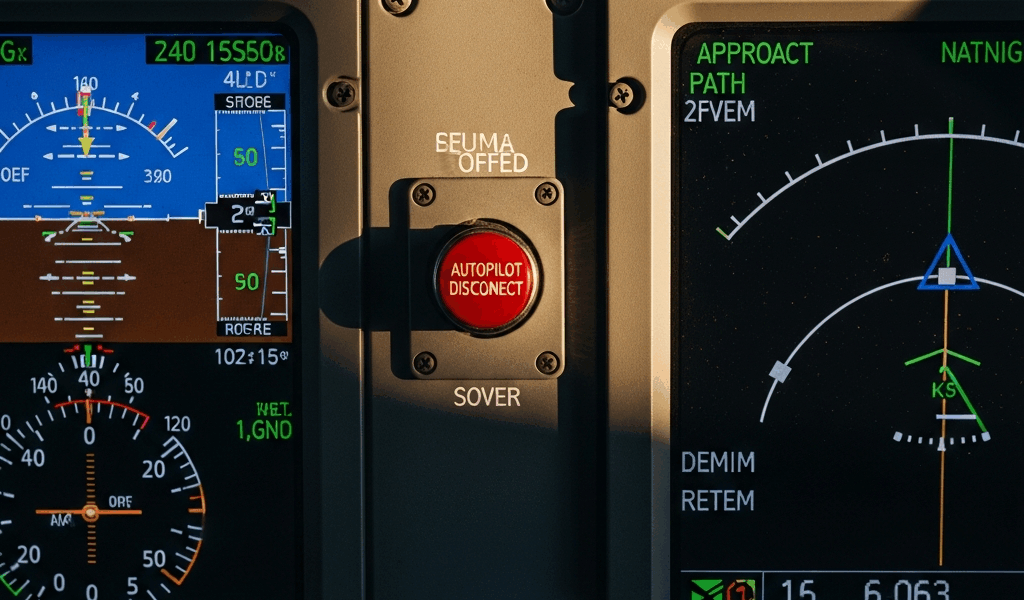
Why Autopilot Drops on Approach More Often Than You Think
You’re 2,000 feet on a four-mile final. The runway is clear. You arm descent mode, glance at the glide slope indicator—it’s alive, centered, ready to capture. You move the mode selector to APP. The autopilot should lock onto that glide slope in the next five seconds. Instead, the disconnect horn sounds. The autopilot arms briefly, then quits. No warning. No amber light. Just silence.
This happens more than manufacturers care to admit.
Most pilots blame the autopilot. “It must be failing.” I’ve spent enough time in the left seat fighting approach phase autopilot disconnects to know better. The real culprit is almost never the autopilot itself—it’s the system architecture that feeds data to it. The autopilot disconnects during approach phase because one of five upstream systems has already failed quietly. The autopilot is just enforcing the rules you told it to follow. That’s actually good news. If you understand why autopilot disconnects during approach, you can predict when it will fail. Better yet, you can plan accordingly instead of scrambling at 400 feet.
The Approach Mode Engagement Chain
Autopilot approach mode isn’t a single switch flip. It’s a logical sequence — break the chain anywhere, and the whole system aborts.
Here’s the order it happens: First, the autopilot confirms you’re within the armed altitude window. Second, it verifies that descent mode is active and armed. Third, it searches for a valid glide slope signal on the nav frequency you selected. Fourth, once the glide slope flag disappears — meaning signal is locked — it commands the pitch servo to capture and hold that 3-degree descent. Fifth, lateral mode (LOC or VOR) arms simultaneously to track the localizer or course.
Disconnect happens when any step fails verification.
Here’s a real example: You select APP mode, but you’re 500 feet above the glide slope altitude window. The autopilot won’t arm approach mode until your actual altitude falls within that band. You descend, finally enter the window, and the autopilot activates descent mode. But here’s where it falls apart — your nav source hasn’t locked to the ILS frequency yet. The glide slope flag is still visible on the CDI. The autopilot can’t capture a signal it doesn’t have. So it arms APP, waits for the flag to clear, and when it doesn’t clear within the prescribed window, it disconnects. The autopilot isn’t broken. Your nav radio never locked the frequency hard enough to produce a valid signal. Knowing this sequence matters because each step has a different failure mode and a different quick-check procedure.
Five Root Causes of Mid-Approach Disconnects
1. Glide Slope Signal Lost or Too Weak
This is the most common cause — the glide slope receiver loses lock somewhere between eight miles and the marker beacon. Weather, terrain masking, or a transmitter issue at the airport can degrade signal strength below the autopilot’s threshold.
The symptom: Autopilot arms APP mode, stays armed for 10–20 seconds, then disconnects. The glide slope flag flickers in and out on the CDI. You might hear intermittent mode changes in the autopilot.
Quick check: Look at the glide slope flag. Is it fully visible? If yes, the receiver isn’t locked. Cycle the nav frequency, wait three seconds, cycle back. If the flag doesn’t clear on the second attempt, the signal strength at your location is too low for autopilot capture.
2. Mode Selector in the Wrong Position
I’ve seen this more times than I should admit. The mode selector has three positions relevant to approach: ARM, APP, and sometimes a dedicated APPROACH position depending on your avionics suite. The selector must be in APP—not ARM, not ALT—at the moment you want capture to happen. Many pilots arm approach mode too early, then forget to move the selector to APP before hitting the altitude window.
The symptom: Autopilot arms, descent mode activates, lateral mode locks, but vertical mode never engages. The autopilot follows altitude commands instead of glide slope commands.
Quick check: Look at the mode annunciator. If it shows ARM or ALT but not APP, move the selector to APP now. The autopilot won’t change modes on its own.
3. Nav Source Not Locked
Your nav radio tuned the frequency, but it hasn’t “locked” onto the signal yet. Lock is a separate state—the radio has to complete a signal search, verify the identifier, and confirm adequate signal strength. Until that’s done, the glide slope flag remains visible on the display.
The symptom: Autopilot disconnects within 10 seconds of APP selection. The CDI shows centered needle, but the glide slope flag is still in view.
Quick check: Look for the Morse code identifier on your CDI window. If it’s absent or playing but slow—meaning weak signal—the receiver hasn’t locked. Verify you’re tuned to the correct ILS frequency. For example, runway 27 might be 110.3, not 110.5. A single decimal mistake means you’re listening to a different transmitter entirely. One that might not have an ILS at all.
4. Altitude Window Misset
The altitude alerter window is typically ±1,000 feet. You need to be within that band for descent mode to arm at all. Set the window 300 feet above the glide slope intercept altitude — at least if you want descent mode to engage on schedule. A common mistake I see: pilots set the window based on cruise altitude, forget to reset it for approach, then descend past the window without descent mode ever arming.
The symptom: You descend below the glide slope, suddenly realize autopilot never armed approach. You’re now 500 feet below glide slope altitude and still in level-off mode.
Quick check: Look at the altitude alerter bug on the altimeter. It should be set to glide slope intercept altitude ± 500 feet. If it’s still at your cruise altitude, that’s why descent mode won’t arm.
5. Servos Not Responding to Capture Command
Less common, but catastrophic when it happens. The autopilot issues a capture command to the pitch servo, but the servo doesn’t move. This is a hardware failure—the servo arm, actuator rod, or electrical connection has failed. Unlike the other four causes, this one actually requires maintenance.
The symptom: Autopilot arms APP, glide slope flag clears, altitude window is correct, mode selector is APP—everything looks right. Then the autopilot disconnects after five seconds. The pitch servo never commanded a pitch change.
Quick check: During a non-approach flight, arm the autopilot and watch the pitch trim. Does the trim wheel move when you change altitude commands? If trim doesn’t move, the servo is dead. Return for maintenance.
How to Diagnose Which System Failed
Probably should have opened with this section, honestly. Diagnosis is easier than most pilots think — you just need to follow a decision tree instead of guessing at 1,500 feet.
Step 1: Did the autopilot stay armed? Look at the autopilot status annunciator. If it shows fully disconnected — no mode lit at all — jump to Step 4. If it shows armed but in the wrong mode (ALT instead of APP), jump to Step 2.
Step 2: Is the mode annunciator showing the mode you selected? If you selected APP and it shows ALT, the mode selector didn’t move the autopilot. Move the selector to APP physically. If the display doesn’t change, the selector might have a detent problem — it feels like it clicked APP, but it only went to ARM. This is a mechanical fault, not a logic fault.
Step 3: Check nav frequency lock. Look at the CDI. Is the glide slope flag visible? If yes, the nav receiver isn’t locked to the frequency. Cycle the frequency — OFF for three seconds, back to your ILS frequency. The flag should clear within five seconds of lock. If it doesn’t, you’re receiving too weak a signal or tuned to the wrong frequency. Verify the frequency against your approach plate. One transposed digit is enough to ruin the whole approach.
Step 4: Check altitude window. Look at the altitude alerter. Is the bug set within 500 feet of your intended descent altitude? If the bug is 2,000 feet above you, descent mode will never arm. Reset the bug and try approach mode again.
Step 5: If all four checks pass and disconnect still happens, the servo is likely failed. Hand-fly the approach. Return for maintenance after landing.
When to Hand-Fly Instead of Troubleshooting
Here’s the rule — if you’re already established on an instrument approach and the autopilot disconnects, hand-fly the rest of the approach.
Chasing autopilot gremlins at 600 feet with minimal visibility is how accidents happen. You’re already flying. You’ve already briefed the approach. Your workload is manageable. The moment you start cycling switches or adjusting mode selections, you’re adding cognitive load during the highest-workload phase of flight.
The one exception: if the disconnect happens early — say, 3,000 feet on approach — and you’re certain the failure is something simple like a mode selector position, fix it once and move on. But the second a fix doesn’t work on the first try, disconnect manually with your hands and fly it yourself.
Now knowing why autopilot disconnects during approach actually helps here. If you understand the failure chain, you know whether the problem is recoverable on the fly or permanent until maintenance. Glide slope weak? You can hand-fly through degraded signal. Mode selector stuck? You can work around it. Servo failed? You’re hand-flying no matter what. Don’t make my mistake.
The worst scenario is a pilot who doesn’t understand the approach chain trying random fixes at low altitude. Understand why it disconnected. Make one deliberate fix. If that doesn’t work, fly the airplane.



Stay in the loop
Get the latest aviate ai updates delivered to your inbox.